Netflix Verification Fix Guide
Follow these simple steps to solve the Netflix verification issue easily on iPhone iOS device.
▶ Watch Video Tutorial
Watch the full screen recording guide before following the steps.
Verification Screen Appears
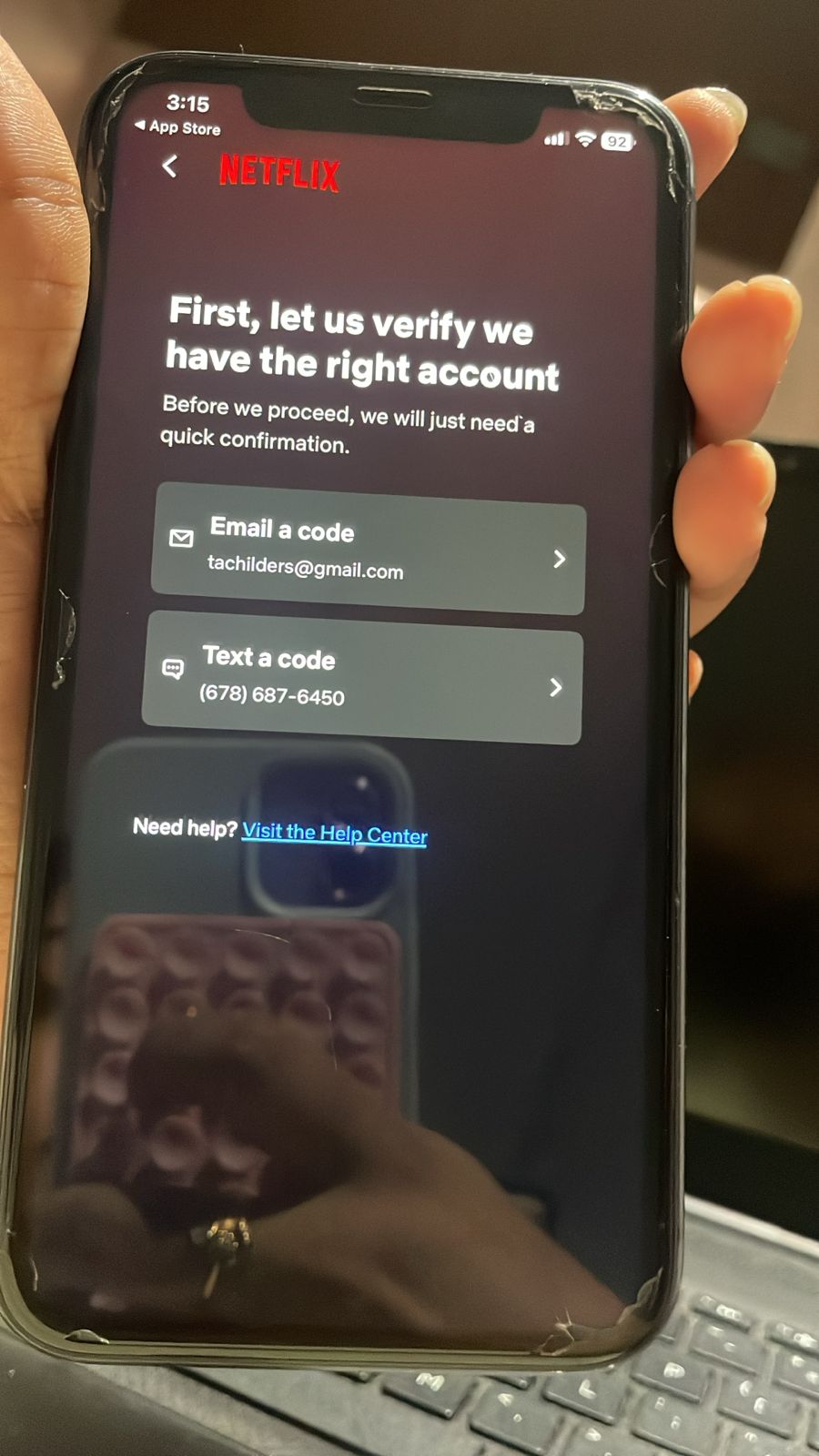
If Netflix asks for verification using email or text code, do not click on any option.
Open Safari Browser
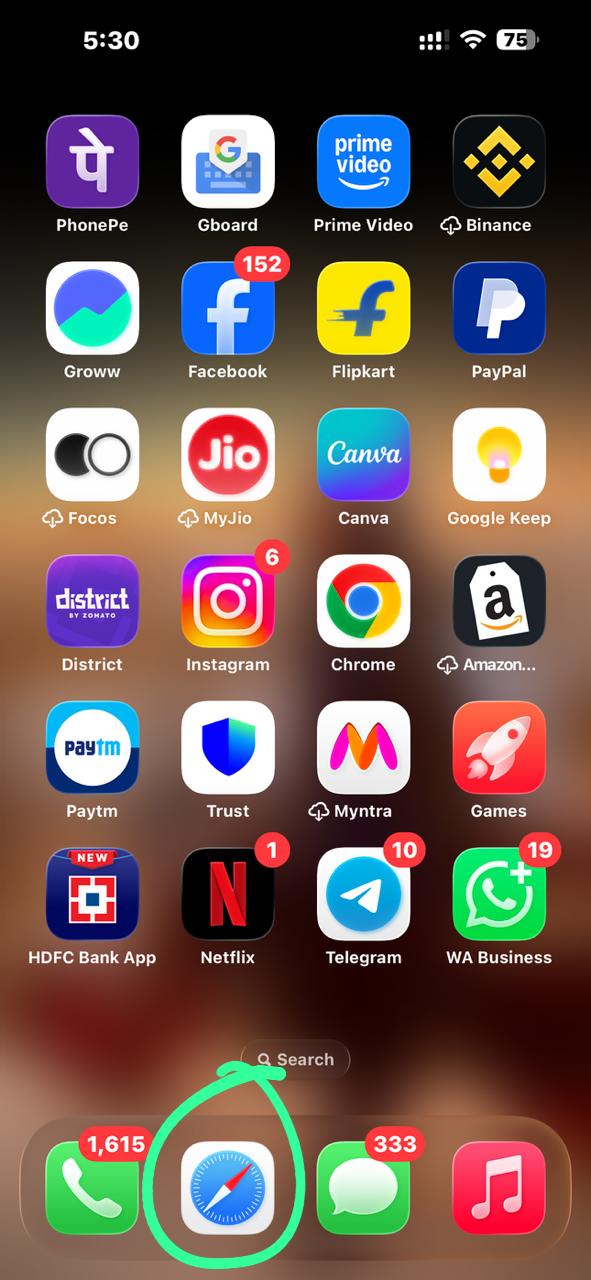
Open Safari browser and paste the special Netflix link provided to you.
Open Chrome Browser
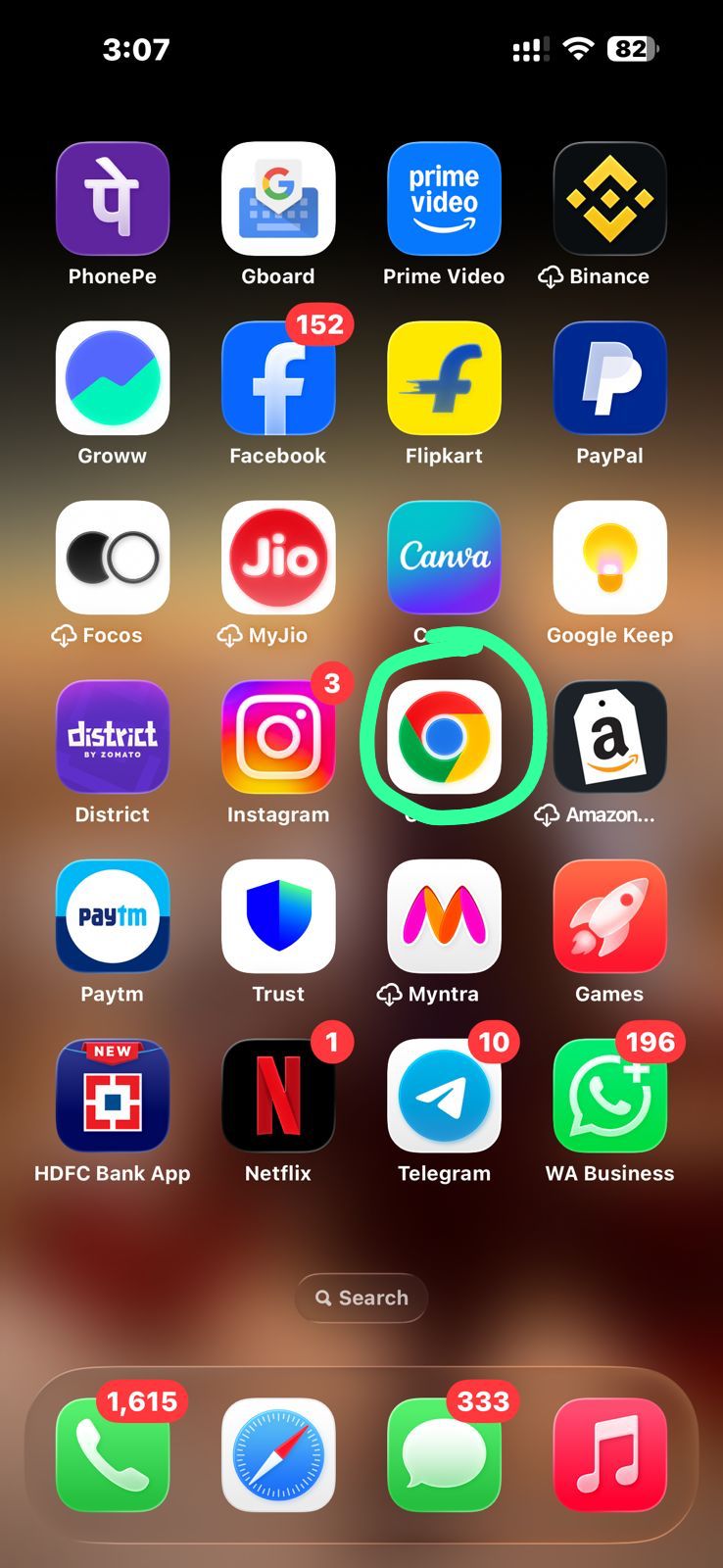
Open Google Chrome browser and paste the special Netflix link provided to you.
Open Profile Section
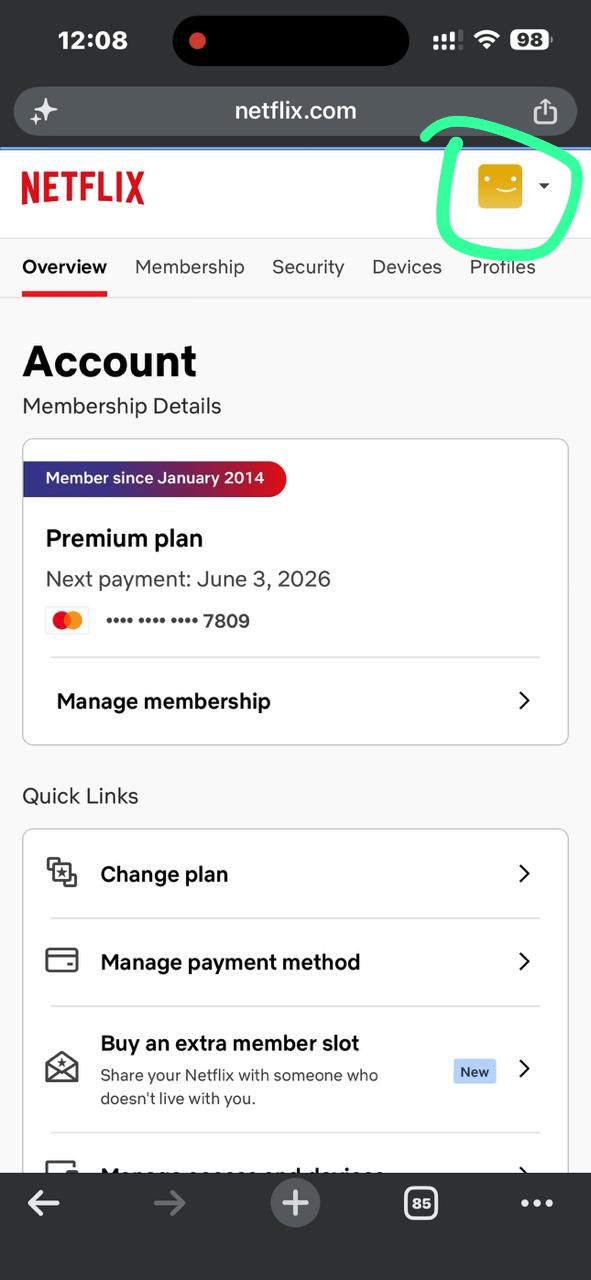
After Netflix opens in browser, click the profile icon from the top-right corner.
Open Manage Profile
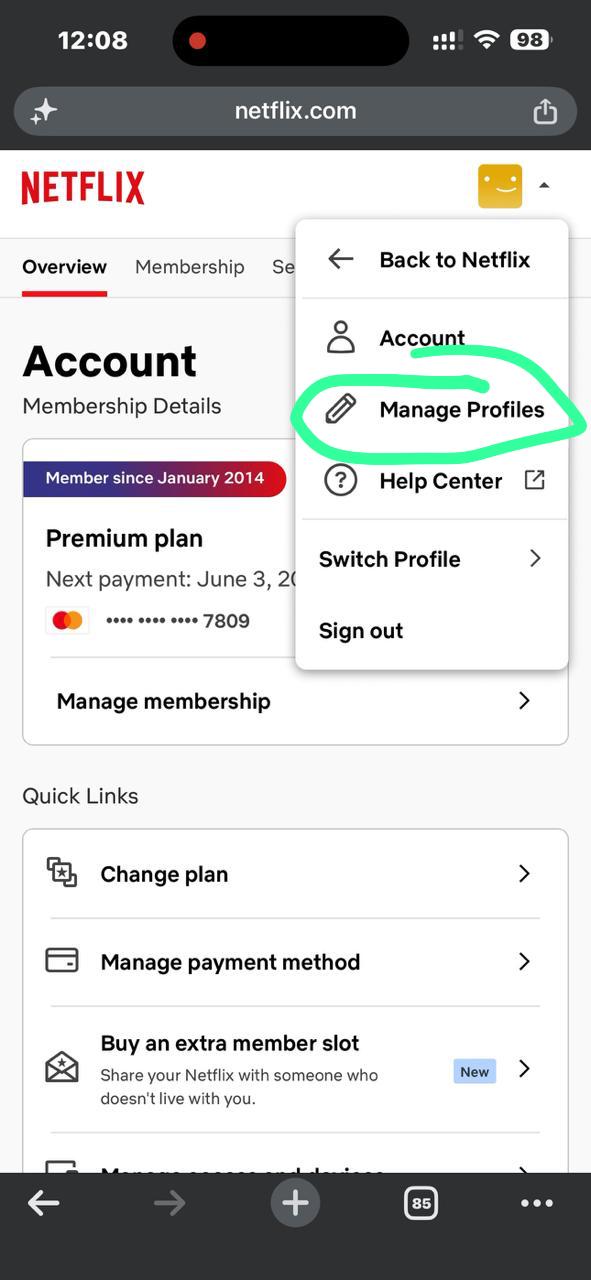
After opening the profile icon, click Manage Profile.
Click Netflix Logo
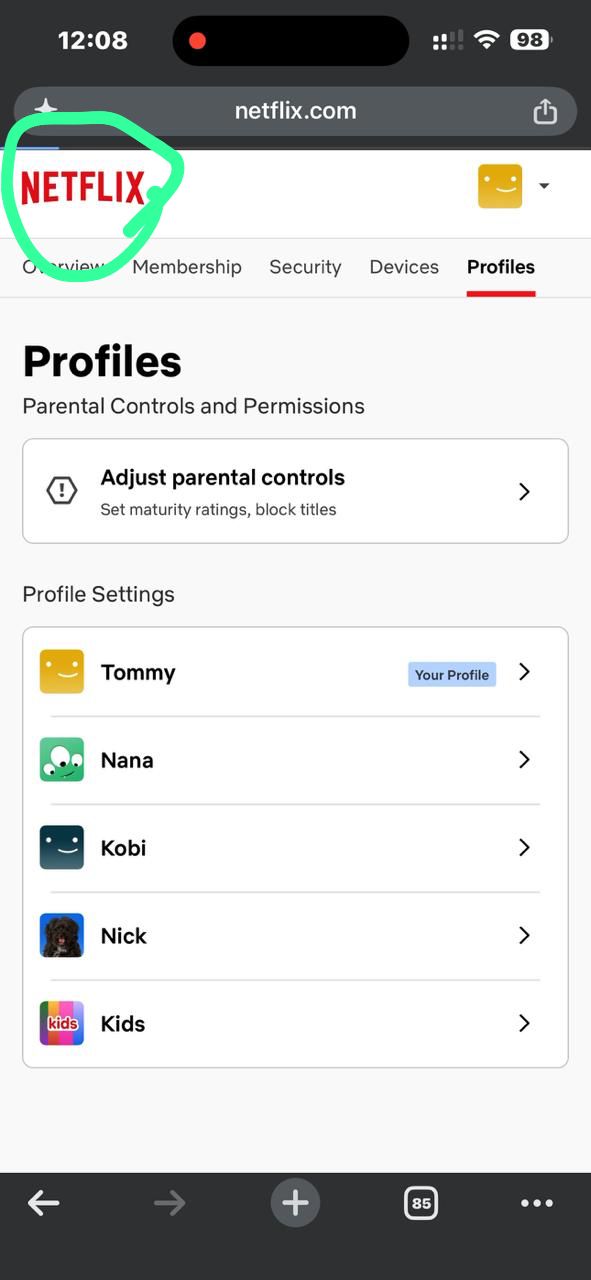
When the profile page opens, click the Netflix logo at the top-left side.
Click Open App
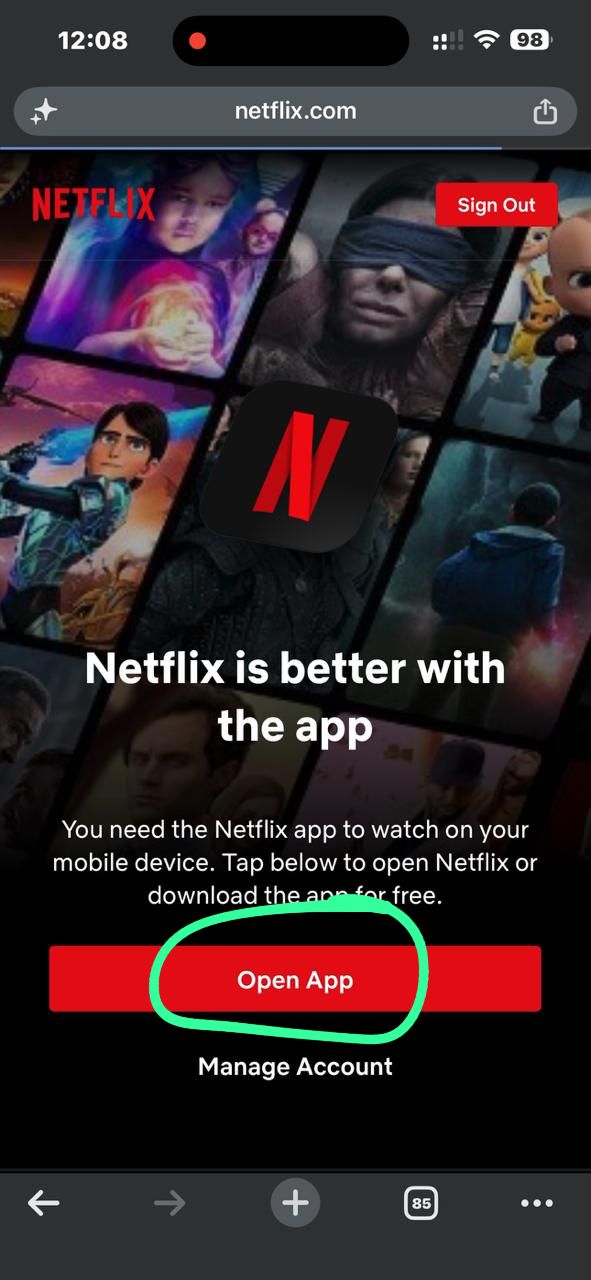
Now click the red “Open App” button.
Continue Popup
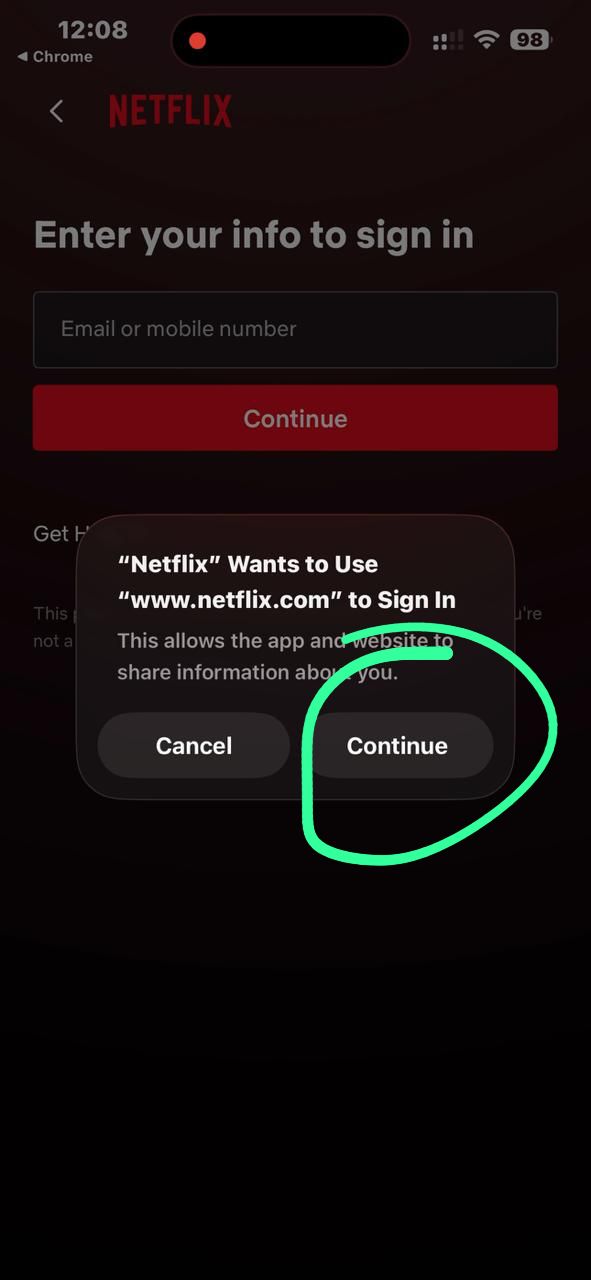
Wait for the pop-up and click “Continue” to allow Netflix sign in.
Enjoy Netflix
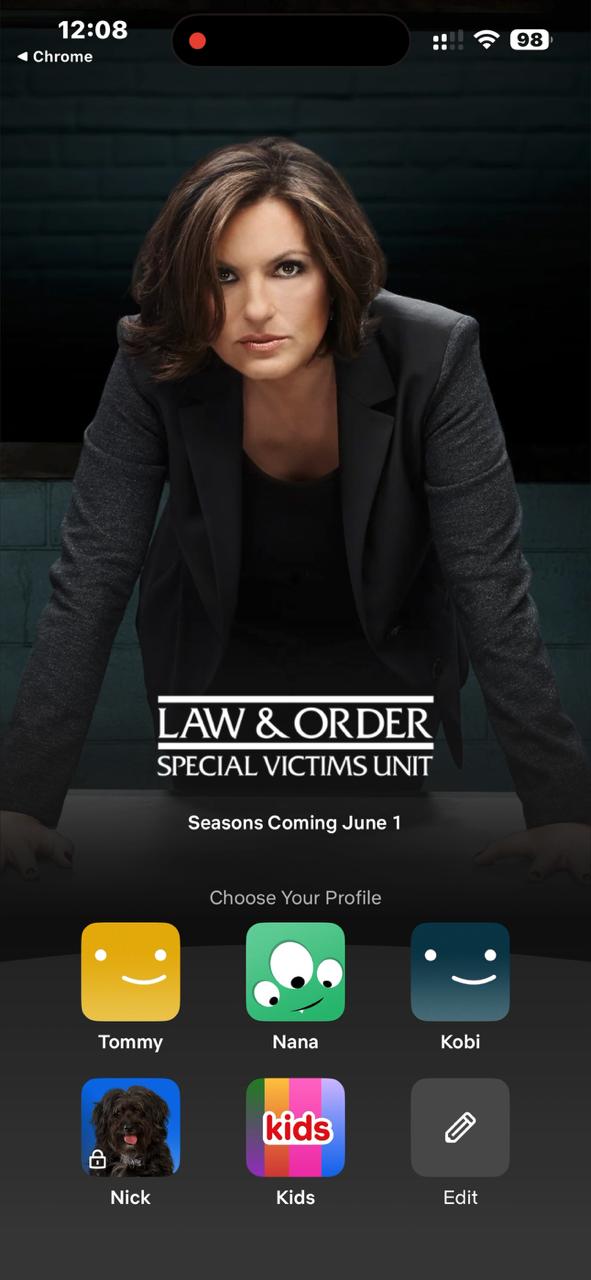
Netflix will open successfully. Select your profile and enjoy streaming.
Still Need Help?
If you are still facing any issue, contact support on WhatsApp.
💬 Contact on WhatsApp