How to Fix Can’t Join Family Group on YouTube Premium
Learn why the Can’t Join Family Group YouTube Premium error appears, what causes it, and how to solve it with our complete guide.
📌 Reading Time
8 Minutes
📅 Updated
July 2026
⭐ Difficulty
Easy
Can’t Join Family Group YouTube Premium Error
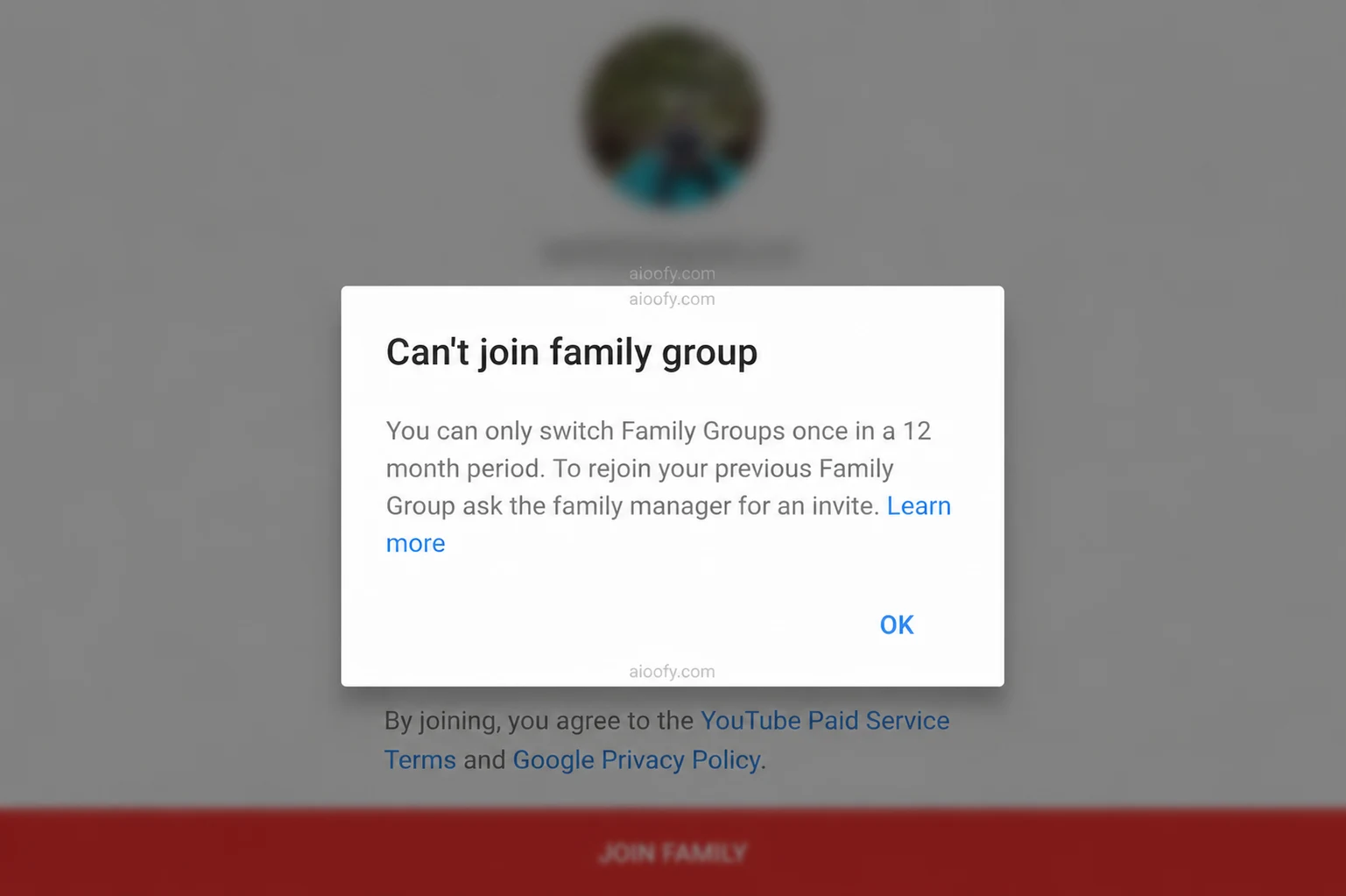
The screenshot below shows the exact error that many users see while trying to join a YouTube Premium Family Group.
What Does “Can’t Join Family Group” Mean?
The Can’t Join Family Group YouTube Premium error appears when Google determines that your account is currently not eligible to join another Family Group. Unlike what many people believe, this restriction is related to your Google account—not your phone, browser, or YouTube app.
Google uses Family Groups to manage shared subscriptions such as YouTube Premium Family. If your account recently joined, left, or switched Family Groups, Google may temporarily prevent another change.
💡 Good to Know
Changing your browser, reinstalling YouTube, or clearing app data usually doesn’t remove this restriction because it is linked to your Google account.
Why Does This Error Happen?
Google introduced Family Groups to allow subscription sharing while reducing misuse. Because of this, users can’t freely switch between multiple Family Groups in a short period.
If your account has recently changed Family Groups, you may see this message while trying to accept a new invitation.
⚠ Before Trying Any Solution
Always verify that you’re signed in with the correct Google account, your invitation is still valid, and the Family Manager has available member slots.
Common Reasons Behind the Restriction
There are several reasons why users receive the Can’t Join Family Group YouTube Premium error. Understanding the cause can save time and help you avoid unnecessary troubleshooting.
✅ Most Common Reasons
- You recently left another Google Family Group.
- The Family Manager removed your account.
- You accepted another Family invitation recently.
- The invitation link has expired.
- The Family Plan has reached its member limit.
- You’re signed in with the wrong Google account.
How to Join YouTube Premium Family
If you’re joining a YouTube Premium Family Plan for the first time, always make sure that you’re using the correct Google account. Ask the Family Manager to send a fresh invitation and verify that the Family Plan still has available member slots before accepting it.
Many invitation problems are caused by expired links or users opening the invitation while logged into another Gmail account.
📌 Quick Checklist
- Use the correct Google account.
- Accept a fresh invitation.
- Confirm available Family member slots.
- Open the invitation from the same Gmail account.
- Watch the complete video guide before making changes.
How to Leave Family Group YouTube Premium
Another popular search is How to Leave Family Group YouTube Premium. Leaving a Family Group is simple, but you should understand the consequences before doing so. Depending on your account history, changing Family Groups may affect your eligibility to join another Family Plan.
Watch the Complete Screen Recording Guide
Watch the full screen recording to understand every step before making any changes to your Google Family Group.
- ✔ Step-by-Step Tutorial
- ✔ Beginner Friendly
- ✔ Updated for 2026
⚠ Important Notice
Leaving your current Family Group does not automatically guarantee that you’ll be able to join another one immediately. Always review your account status before making changes.
Frequently Asked Questions
Why can’t I join a YouTube Premium Family?
This usually happens because of Google Family Group eligibility, invitation issues, account history, or Family Plan limitations.
Can changing my phone fix this issue?
No. The restriction is linked to your Google account, not your device.
Can I use another browser?
Using another browser may solve a temporary sign-in issue, but it won’t change your Google Family Group eligibility.
Why am I seeing the 12-month Family Group message?
Google applies eligibility rules to Family Groups. If your account recently changed Family Groups, you may not be able to join another group immediately.
🎥 Still Need Help?
Watch the complete screen-recording tutorial above to understand every step clearly before making any changes to your Google Family account.
▶ Watch Complete Video
I m not able to join a family group and also not able to use YouTube premium
check AGIN AND WHATSAPP ME